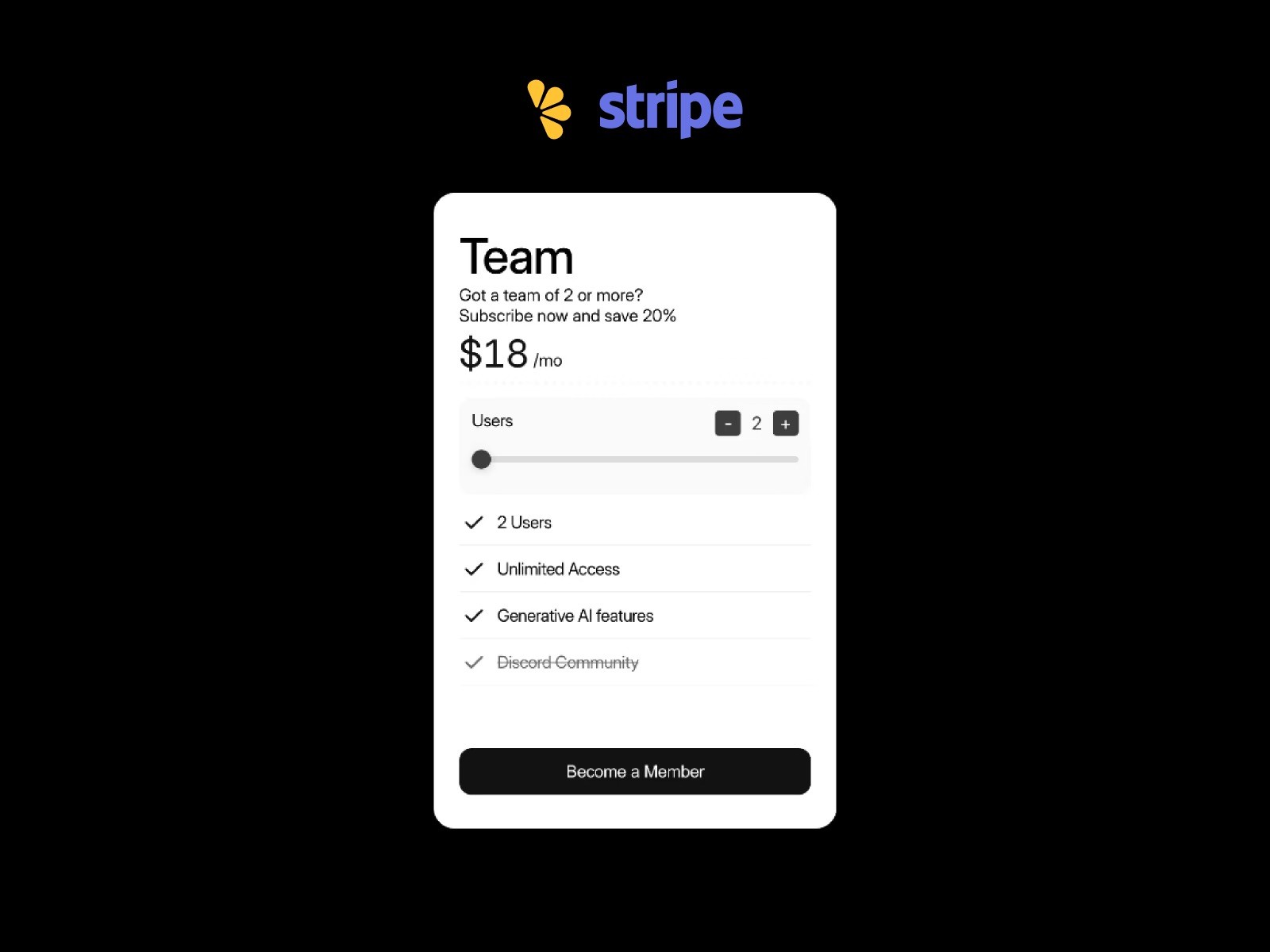
Want to build a quantity-based pricing model in Framer with 100% design freedom?
Standard Framer pricing components are usually locked into rigid, "all-in-one" blocks, which kills your design freedom. You're stuck with their layout instead of your own.
In this tutorial, I’ll show you how to build a pricing model where you have 100% design control. You can freely customize your price labels, quantity selectors, sliders, and steppers—all while keeping your payment flow fully functional for both one-time payments and subscriptions.
*You will need the Dynamic Pricing Set component to follow this guide.
Use Cases
Dynamic Checkout Flow (License/Seat-based)
If you offer team plans, you can let customers pick the exact number of team members they need. The checkout page will automatically update the total price based on their selection.
For example, if one seat is $20 and a user selects 4, the checkout page will correctly show 4 units at $80.
You can also set custom minimum and maximum limits.
Usage-Based Tiered Pricing
For usage-based models, you can map specific price tiers to quantity ranges.
For example, an email marketing tool could charge $10 for up to 500 subscribers, $20 for up to 1,500, and $36 for 3,000+. As the user slides the quantity, the system updates the price in real-time, guiding them to the correct tier before they head to checkout.
Using Without LemonSqueezy or Stripe
You don’t have to connect a payment gateway. Even without one, the component's internal state-sharing works perfectly.
This is a great way to showcase price calculations on your marketing page, helping users understand your pricing structure intuitively before they commit.
How to Integrate with LemonSqueezy
Get your LemonSqueezy Checkout URL
No backend is needed here.
LemonSqueezy accepts quantity data directly through URL parameters (e.g., /checkout/?quantity=5).
By passing the user-selected value dynamically, you create a smooth, frictionless handoff to the checkout page.
Component Settings
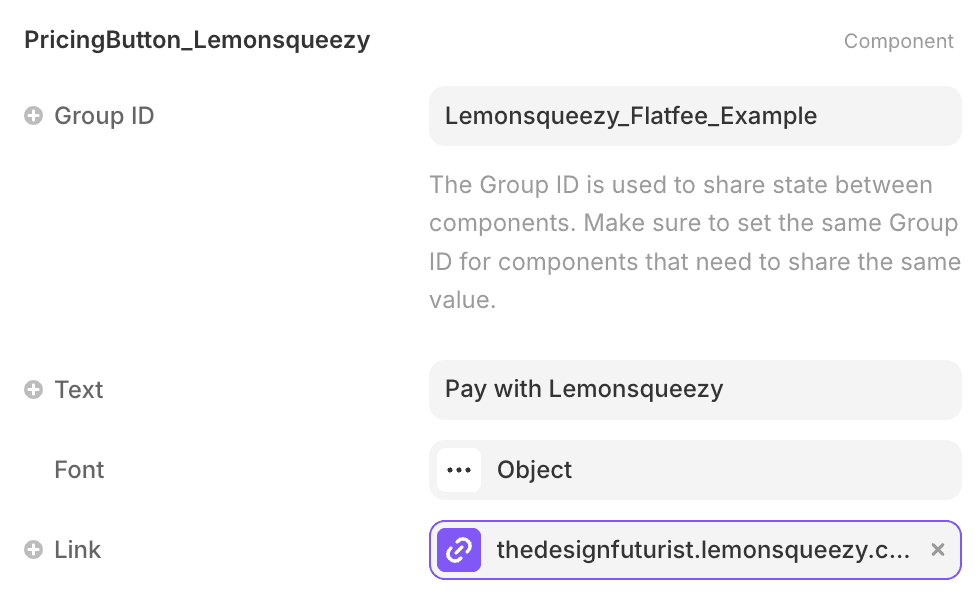
Using the PricingButton_Lemonsqueezy component from your set, simply paste your LemonSqueezy Checkout URL into the "Link" property in the component settings. It will automatically handle the quantity parameter for you.

How to Integrate with Stripe
Backend Setup (using Cloudflare Workers)
The provided code contains only the core logic. If you are comfortable with code, you can customize it to fit your requirements.
Cloudflare Workers are recommended as an example to handle the backend securely. Since your Stripe Secret Key must never be exposed on the frontend, you should store it as an encrypted secret in the Worker's environment variables to keep your integration secure.
Step 1. Create a Worker
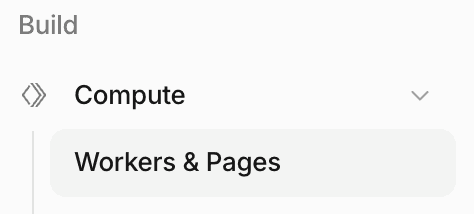
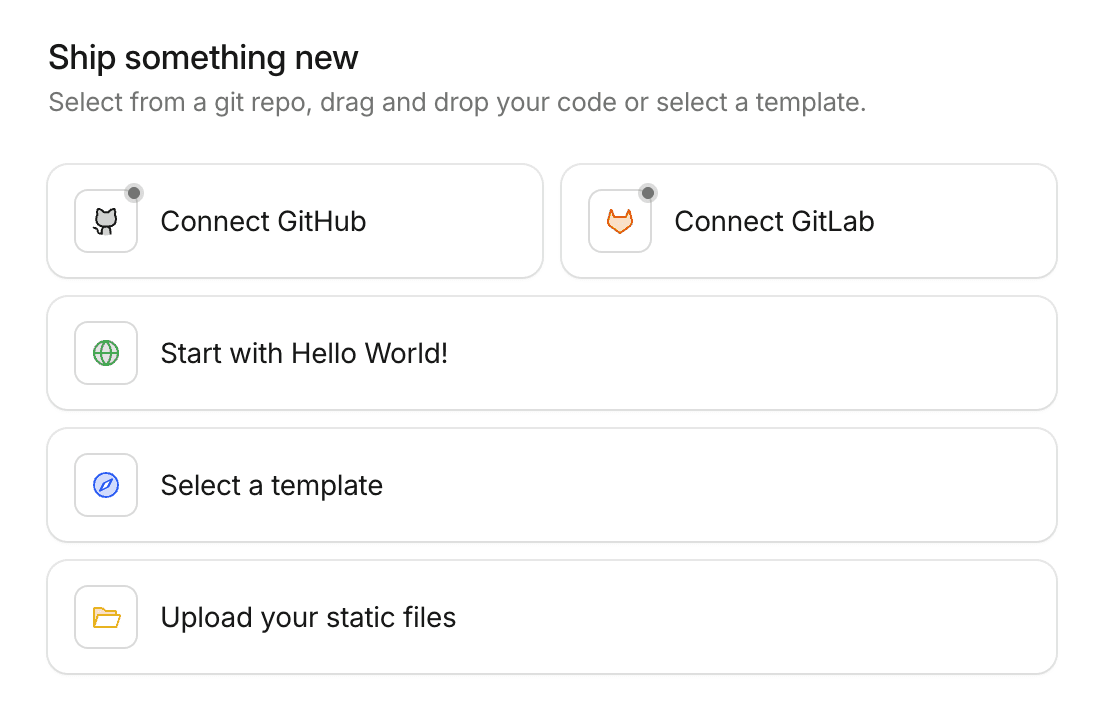
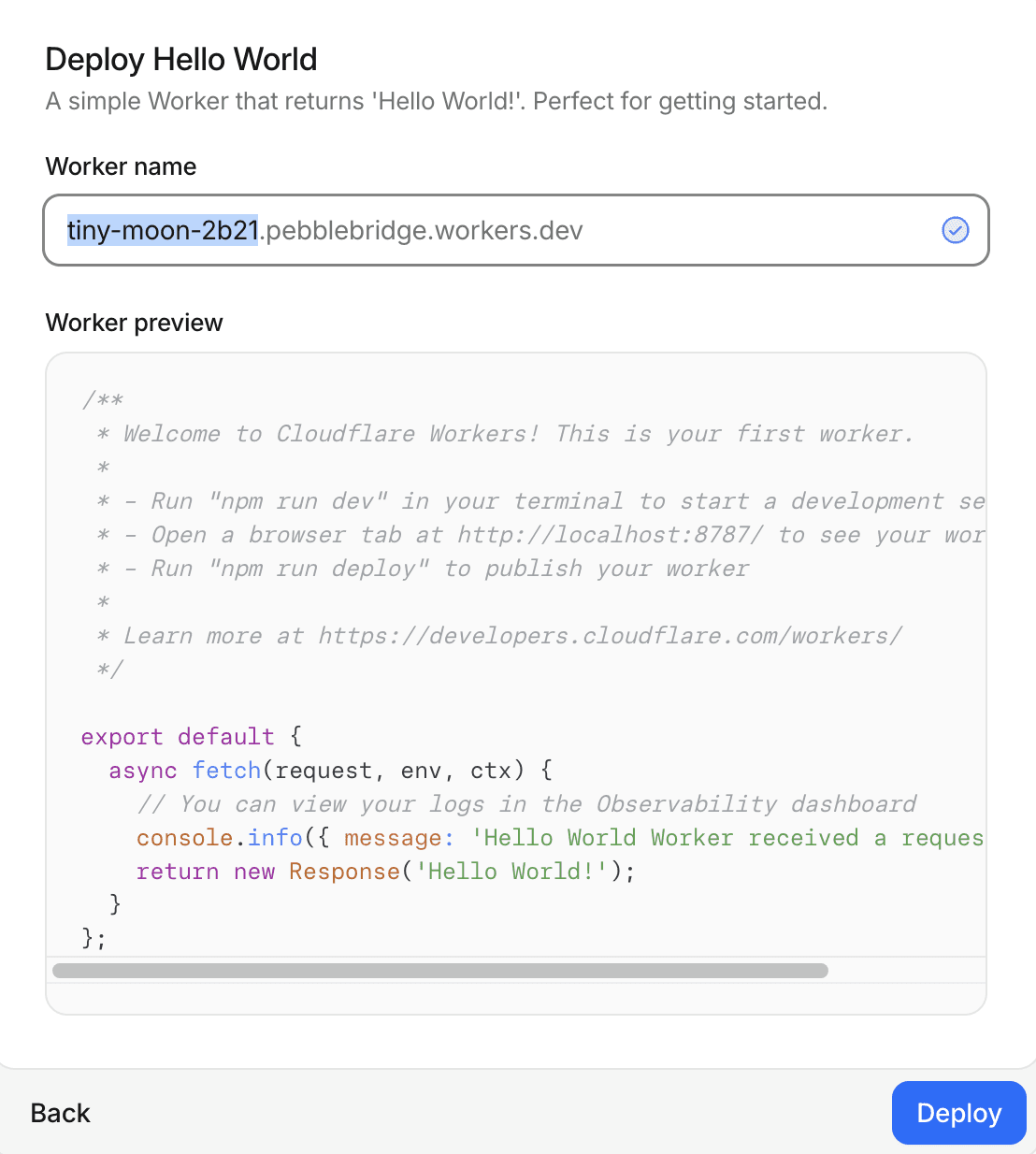
Log in to Cloudflare, go to Build > Compute > Workers & Pages, and click Create Application. Choose "Start with HELLO WORLD!", name your worker, and hit Deploy.
Step 2. Paste and Save the Code
Once the Worker is created, click the </> Edit Code button, replace the content with the code below, and hit Deploy to save your changes.

function corsHeaders() {
  return {
    "Access-Control-Allow-Origin": "*",
    "Access-Control-Allow-Methods": "GET, POST, OPTIONS",
    "Access-Control-Allow-Headers": "Content-Type",
  }
}

function json(data, status = 200) {
  return new Response(JSON.stringify(data), {
    status,
    headers: {
      "Content-Type": "application/json",
      ...corsHeaders(),
    },
  })
}

function empty(status = 204) {
  return new Response(null, {
    status,
    headers: corsHeaders(),
  })
}

function allowedSet(csv = "") {
  return new Set(csv.split(",").map((value) => value.trim()).filter(Boolean))
}

async function createCheckout(env, priceId, quantity, mode) {
  if (!env.STRIPE_SECRET_KEY) {
    throw new Error("Missing STRIPE_SECRET_KEY secret")
  }

  if (!env.SUCCESS_URL) {
    throw new Error("Missing SUCCESS_URL variable")
  }

  const form = new URLSearchParams()
  form.set("mode", mode || env.CHECKOUT_MODE || "payment")
  form.set("line_items[0][price]", priceId)
  form.set("line_items[0][quantity]", String(quantity))
  form.set("success_url", env.SUCCESS_URL)
  if (env.CANCEL_URL) {
    form.set("cancel_url", env.CANCEL_URL)
  }

  const response = await fetch("https://api.stripe.com/v1/checkout/sessions", {
    method: "POST",
    headers: {
      Authorization: `Bearer ${env.STRIPE_SECRET_KEY}`,
      "Content-Type": "application/x-www-form-urlencoded",
    },
    body: form,
  })
  const data = await response.json()

  if (!response.ok || !data.url) {
    throw new Error(data.error?.message || "Stripe checkout failed")
  }

  return data.url
}

export default {
  async fetch(request, env) {
    if (request.method === "OPTIONS") {
      return empty()
    }

    const url = new URL(request.url)
    if (request.method === "GET" && url.pathname === "/health") {
      return json({ ok: true })
    }

    if (
      request.method !== "POST" ||
      (url.pathname !== "/" && url.pathname !== "/checkout")
    ) {
      return json({ error: "Not found" }, 404)
    }

    try {
      const body = await request.json()
      const quantity = Number(body.quantity || 1)
      const priceId = body.priceId || ""
      const mode = body.mode || ""

      if (!Number.isInteger(quantity) || quantity < 1 || quantity > 999999) {
        return json({ error: "Invalid quantity" }, 400)
      }

      const finalPriceId = priceId.trim()

      if (!allowedSet(env.ALLOWED_PRICE_IDS).has(finalPriceId)) {
        return json({ error: "Price ID is not allowed" }, 400)
      }

      const checkoutUrl = await createCheckout(env, finalPriceId, quantity, mode)
      return json({ url: checkoutUrl })
    } catch (error) {
      return json(
        { error: error instanceof Error ? error.message : "Checkout failed" },
        400
      )
    }
  },
}
function corsHeaders() {
  return {
    "Access-Control-Allow-Origin": "*",
    "Access-Control-Allow-Methods": "GET, POST, OPTIONS",
    "Access-Control-Allow-Headers": "Content-Type",
  }
}

function json(data, status = 200) {
  return new Response(JSON.stringify(data), {
    status,
    headers: {
      "Content-Type": "application/json",
      ...corsHeaders(),
    },
  })
}

function empty(status = 204) {
  return new Response(null, {
    status,
    headers: corsHeaders(),
  })
}

function allowedSet(csv = "") {
  return new Set(csv.split(",").map((value) => value.trim()).filter(Boolean))
}

async function createCheckout(env, priceId, quantity, mode) {
  if (!env.STRIPE_SECRET_KEY) {
    throw new Error("Missing STRIPE_SECRET_KEY secret")
  }

  if (!env.SUCCESS_URL) {
    throw new Error("Missing SUCCESS_URL variable")
  }

  const form = new URLSearchParams()
  form.set("mode", mode || env.CHECKOUT_MODE || "payment")
  form.set("line_items[0][price]", priceId)
  form.set("line_items[0][quantity]", String(quantity))
  form.set("success_url", env.SUCCESS_URL)
  if (env.CANCEL_URL) {
    form.set("cancel_url", env.CANCEL_URL)
  }

  const response = await fetch("https://api.stripe.com/v1/checkout/sessions", {
    method: "POST",
    headers: {
      Authorization: `Bearer ${env.STRIPE_SECRET_KEY}`,
      "Content-Type": "application/x-www-form-urlencoded",
    },
    body: form,
  })
  const data = await response.json()

  if (!response.ok || !data.url) {
    throw new Error(data.error?.message || "Stripe checkout failed")
  }

  return data.url
}

export default {
  async fetch(request, env) {
    if (request.method === "OPTIONS") {
      return empty()
    }

    const url = new URL(request.url)
    if (request.method === "GET" && url.pathname === "/health") {
      return json({ ok: true })
    }

    if (
      request.method !== "POST" ||
      (url.pathname !== "/" && url.pathname !== "/checkout")
    ) {
      return json({ error: "Not found" }, 404)
    }

    try {
      const body = await request.json()
      const quantity = Number(body.quantity || 1)
      const priceId = body.priceId || ""
      const mode = body.mode || ""

      if (!Number.isInteger(quantity) || quantity < 1 || quantity > 999999) {
        return json({ error: "Invalid quantity" }, 400)
      }

      const finalPriceId = priceId.trim()

      if (!allowedSet(env.ALLOWED_PRICE_IDS).has(finalPriceId)) {
        return json({ error: "Price ID is not allowed" }, 400)
      }

      const checkoutUrl = await createCheckout(env, finalPriceId, quantity, mode)
      return json({ url: checkoutUrl })
    } catch (error) {
      return json(
        { error: error instanceof Error ? error.message : "Checkout failed" },
        400
      )
    }
  },
}
function corsHeaders() {
  return {
    "Access-Control-Allow-Origin": "*",
    "Access-Control-Allow-Methods": "GET, POST, OPTIONS",
    "Access-Control-Allow-Headers": "Content-Type",
  }
}

function json(data, status = 200) {
  return new Response(JSON.stringify(data), {
    status,
    headers: {
      "Content-Type": "application/json",
      ...corsHeaders(),
    },
  })
}

function empty(status = 204) {
  return new Response(null, {
    status,
    headers: corsHeaders(),
  })
}

function allowedSet(csv = "") {
  return new Set(csv.split(",").map((value) => value.trim()).filter(Boolean))
}

async function createCheckout(env, priceId, quantity, mode) {
  if (!env.STRIPE_SECRET_KEY) {
    throw new Error("Missing STRIPE_SECRET_KEY secret")
  }

  if (!env.SUCCESS_URL) {
    throw new Error("Missing SUCCESS_URL variable")
  }

  const form = new URLSearchParams()
  form.set("mode", mode || env.CHECKOUT_MODE || "payment")
  form.set("line_items[0][price]", priceId)
  form.set("line_items[0][quantity]", String(quantity))
  form.set("success_url", env.SUCCESS_URL)
  if (env.CANCEL_URL) {
    form.set("cancel_url", env.CANCEL_URL)
  }

  const response = await fetch("https://api.stripe.com/v1/checkout/sessions", {
    method: "POST",
    headers: {
      Authorization: `Bearer ${env.STRIPE_SECRET_KEY}`,
      "Content-Type": "application/x-www-form-urlencoded",
    },
    body: form,
  })
  const data = await response.json()

  if (!response.ok || !data.url) {
    throw new Error(data.error?.message || "Stripe checkout failed")
  }

  return data.url
}

export default {
  async fetch(request, env) {
    if (request.method === "OPTIONS") {
      return empty()
    }

    const url = new URL(request.url)
    if (request.method === "GET" && url.pathname === "/health") {
      return json({ ok: true })
    }

    if (
      request.method !== "POST" ||
      (url.pathname !== "/" && url.pathname !== "/checkout")
    ) {
      return json({ error: "Not found" }, 404)
    }

    try {
      const body = await request.json()
      const quantity = Number(body.quantity || 1)
      const priceId = body.priceId || ""
      const mode = body.mode || ""

      if (!Number.isInteger(quantity) || quantity < 1 || quantity > 999999) {
        return json({ error: "Invalid quantity" }, 400)
      }

      const finalPriceId = priceId.trim()

      if (!allowedSet(env.ALLOWED_PRICE_IDS).has(finalPriceId)) {
        return json({ error: "Price ID is not allowed" }, 400)
      }

      const checkoutUrl = await createCheckout(env, finalPriceId, quantity, mode)
      return json({ url: checkoutUrl })
    } catch (error) {
      return json(
        { error: error instanceof Error ? error.message : "Checkout failed" },
        400
      )
    }
  },
}
function corsHeaders() {
  return {
    "Access-Control-Allow-Origin": "*",
    "Access-Control-Allow-Methods": "GET, POST, OPTIONS",
    "Access-Control-Allow-Headers": "Content-Type",
  }
}

function json(data, status = 200) {
  return new Response(JSON.stringify(data), {
    status,
    headers: {
      "Content-Type": "application/json",
      ...corsHeaders(),
    },
  })
}

function empty(status = 204) {
  return new Response(null, {
    status,
    headers: corsHeaders(),
  })
}

function allowedSet(csv = "") {
  return new Set(csv.split(",").map((value) => value.trim()).filter(Boolean))
}

async function createCheckout(env, priceId, quantity, mode) {
  if (!env.STRIPE_SECRET_KEY) {
    throw new Error("Missing STRIPE_SECRET_KEY secret")
  }

  if (!env.SUCCESS_URL) {
    throw new Error("Missing SUCCESS_URL variable")
  }

  const form = new URLSearchParams()
  form.set("mode", mode || env.CHECKOUT_MODE || "payment")
  form.set("line_items[0][price]", priceId)
  form.set("line_items[0][quantity]", String(quantity))
  form.set("success_url", env.SUCCESS_URL)
  if (env.CANCEL_URL) {
    form.set("cancel_url", env.CANCEL_URL)
  }

  const response = await fetch("https://api.stripe.com/v1/checkout/sessions", {
    method: "POST",
    headers: {
      Authorization: `Bearer ${env.STRIPE_SECRET_KEY}`,
      "Content-Type": "application/x-www-form-urlencoded",
    },
    body: form,
  })
  const data = await response.json()

  if (!response.ok || !data.url) {
    throw new Error(data.error?.message || "Stripe checkout failed")
  }

  return data.url
}

export default {
  async fetch(request, env) {
    if (request.method === "OPTIONS") {
      return empty()
    }

    const url = new URL(request.url)
    if (request.method === "GET" && url.pathname === "/health") {
      return json({ ok: true })
    }

    if (
      request.method !== "POST" ||
      (url.pathname !== "/" && url.pathname !== "/checkout")
    ) {
      return json({ error: "Not found" }, 404)
    }

    try {
      const body = await request.json()
      const quantity = Number(body.quantity || 1)
      const priceId = body.priceId || ""
      const mode = body.mode || ""

      if (!Number.isInteger(quantity) || quantity < 1 || quantity > 999999) {
        return json({ error: "Invalid quantity" }, 400)
      }

      const finalPriceId = priceId.trim()

      if (!allowedSet(env.ALLOWED_PRICE_IDS).has(finalPriceId)) {
        return json({ error: "Price ID is not allowed" }, 400)
      }

      const checkoutUrl = await createCheckout(env, finalPriceId, quantity, mode)
      return json({ url: checkoutUrl })
    } catch (error) {
      return json(
        { error: error instanceof Error ? error.message : "Checkout failed" },
        400
      )
    }
  },
}
Step3. Set Your Variables
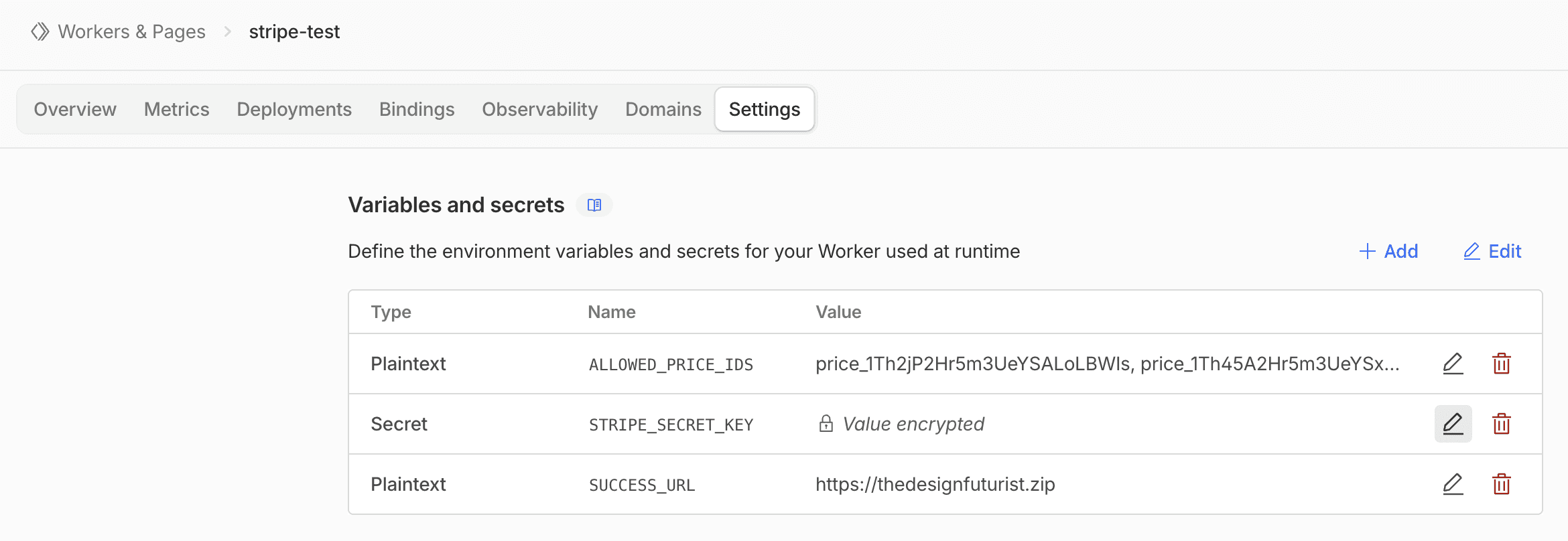
In the Settings tab, click +Add to define these three variables:
Your Stripe Price ID. (If you have multiple, separate them with commas. Be sure to use the Price ID, not the Product ID).
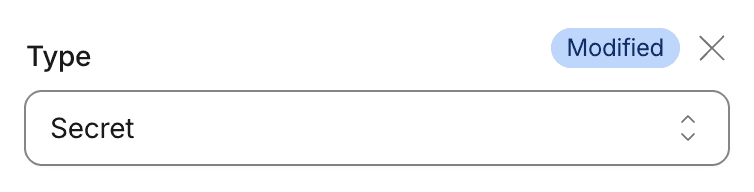
Your Stripe API Secret Key. Select "Secret" as the type to keep it encrypted.
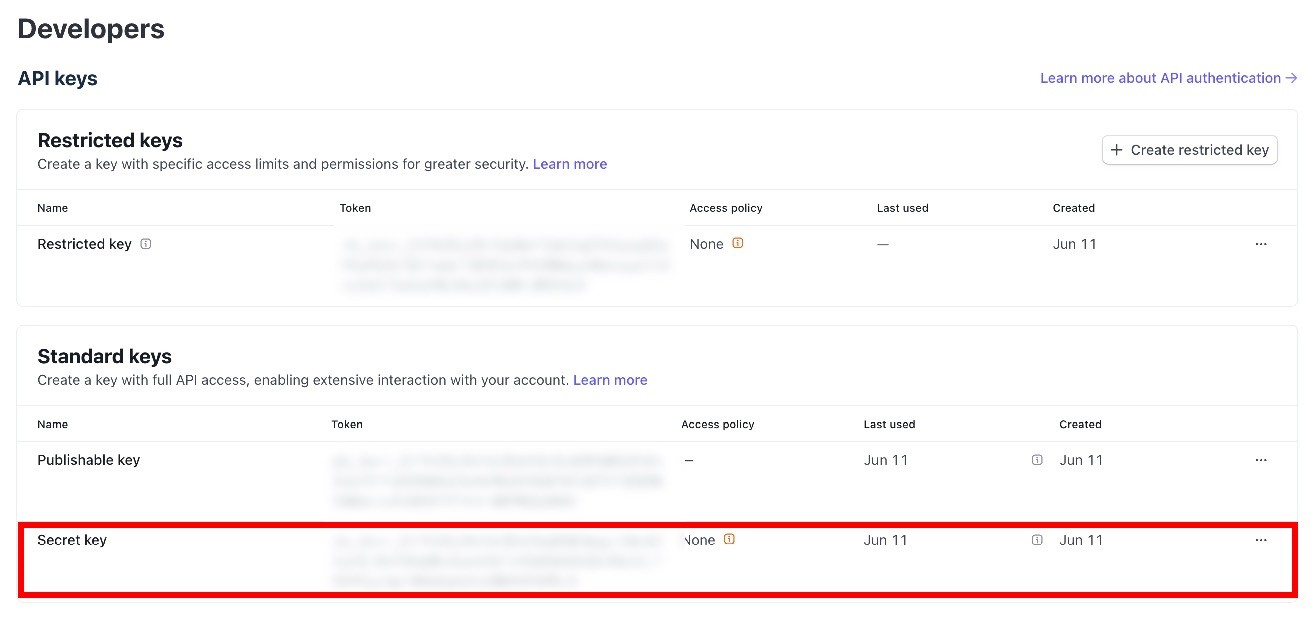
*To obtain your Stripe API Secret Key, go to the Developer > API page in your Stripe Dashboard and copy the Token value from the area highlighted in red below.
Specify your success URL
e.g., yourwebsite.com/success
Component Settings
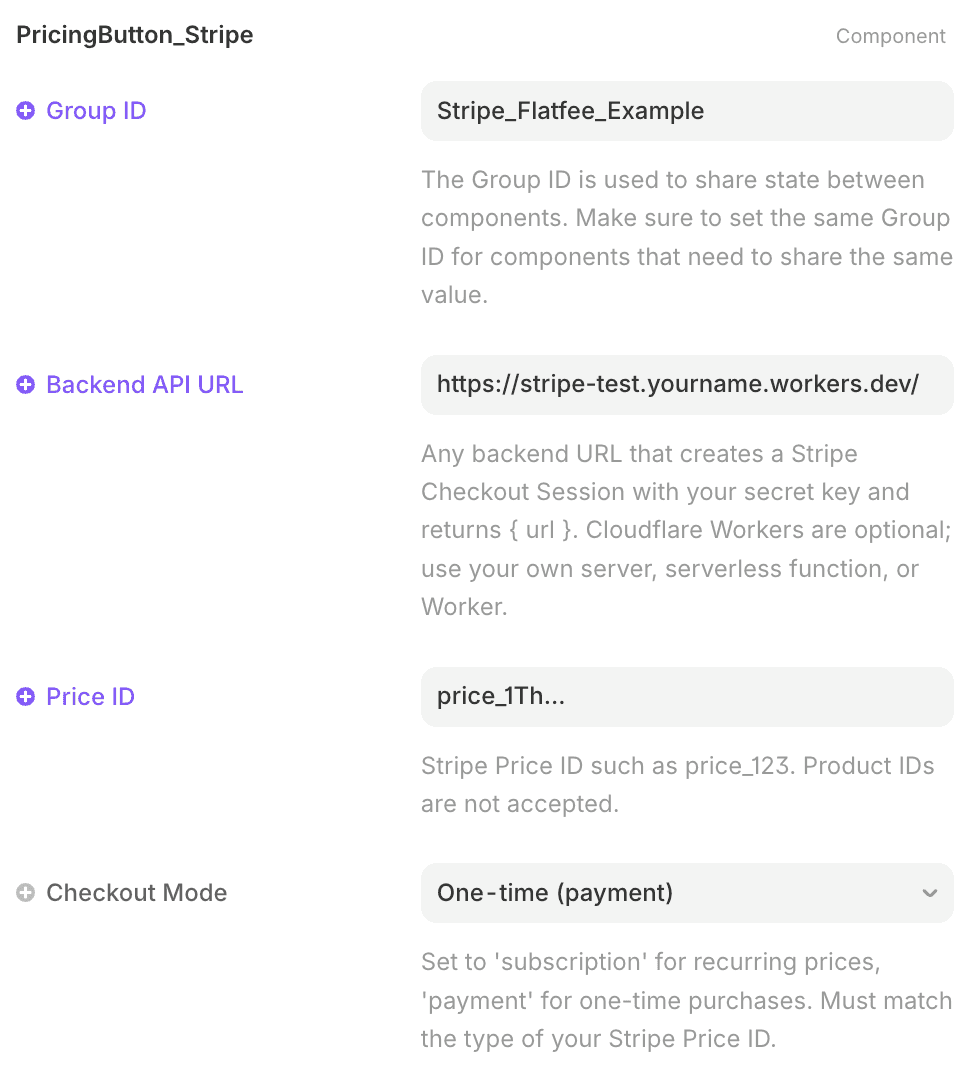
To connect your site to Stripe Checkout, use the PricingButton_Stripe component from your set.

In the component settings, fill in:
The URL of the Worker you’ve deployed in Step 1.
The specific Stripe Price ID for your product.
Select "one time payment" or "subscription" to match your product.
Final Thoughts
A seamless checkout is the backbone of your conversion strategy. By decoupling your pricing UI from rigid templates, you provide an intuitive, friction-free experience that helps your customers commit with confidence.